

Price-conscious buyers rarely search for the lowest number in isolation. They compare what a classroom or training room can accomplish, which extra devices are still required, how staff will connect, and what happens when support is needed. Those questions are changing how established smart-board brands are evaluated.
Professional audiovisual experience accumulated over more than 20 years underpins Nework, a California-based provider of display and collaboration solutions across education, business, and home markets. NewBoard brings interaction, wireless casting, annotation, and management into a platform. School leaders, owners, and purchasers can schedule a demonstration focused on workflows, bulk pricing, setup, upkeep, and service coverage.
Value Begins With the Work a Board Can Replace
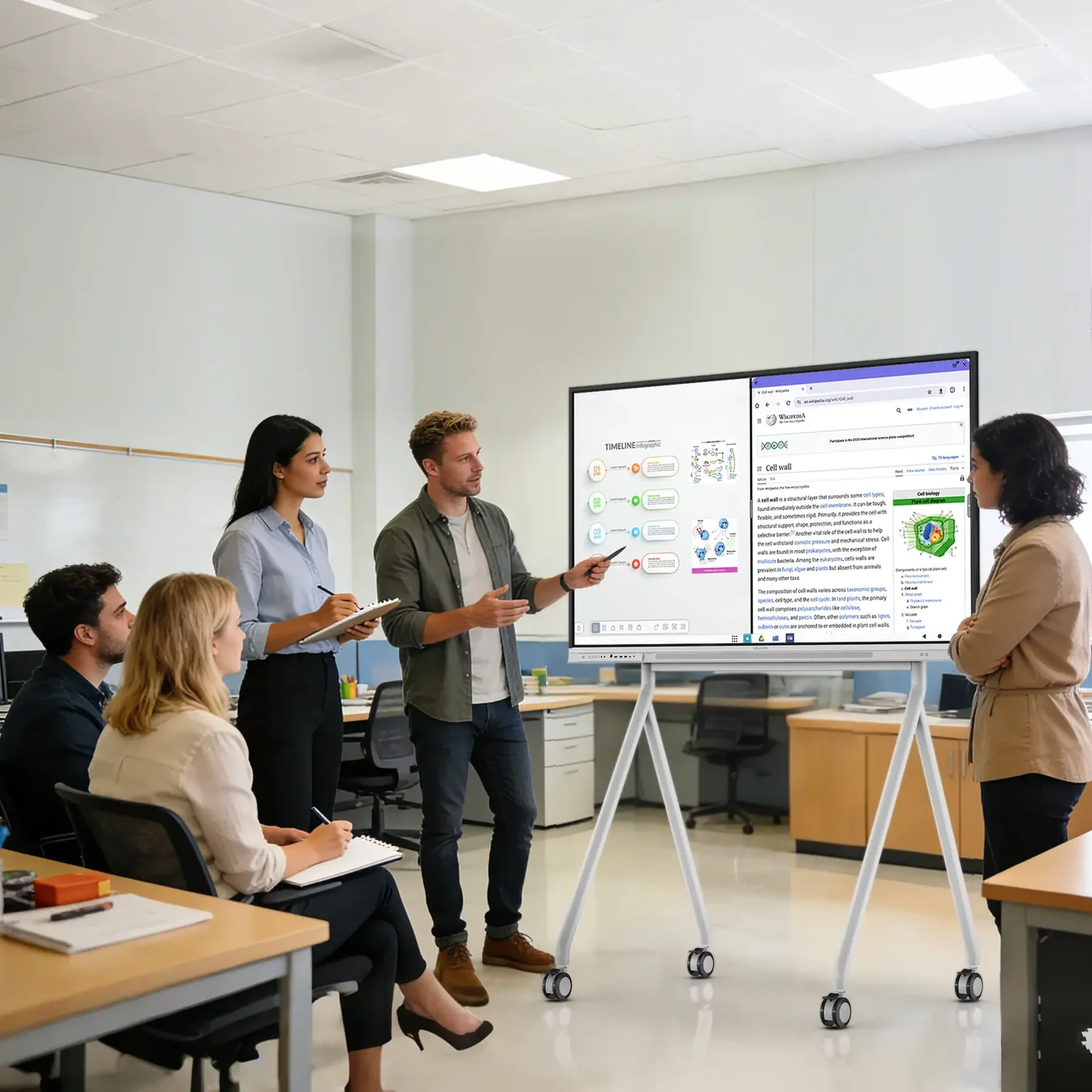
The NewBoard E series for education combines a 4K anti-glare display, dual 20W speakers, responsive touch, whiteboarding, casting, and sharing tools. When those functions are available on one platform, a school may need fewer separate presentation devices, adapters, audio components, and software steps for everyday lessons.
A 178-degree viewing angle keeps material readable from varied seating positions, while under-5-ms touch response supports natural annotation. As many as ten students can move from teacher-led presentation to group problem-solving through a touch system that recognizes up to 50 simultaneous points.
Built-in grids, shapes, geometry tools, timers, split-screen viewing, handwriting recognition, and an infinite canvas expand the range of lessons that can be prepared. Teachers can explain a process, compare examples, organize student ideas, or preserve a complex board instead of erasing it to create space.
Casting from laptops, Chromebooks, iPads, and phones helps schools use equipment they already own. A teacher can display a file, annotate it on the board, save the result to the cloud, and share notes through a QR code, creating continuity between classroom interaction and later review.
Legacy comparisons should therefore measure the complete teaching workflow. A less expensive panel offers weak value if it requires additional hardware or repeated workarounds. Conversely, a well-integrated board can lower total room cost by reducing the number of separate purchases and support relationships.
A Familiar Platform Can Lower Hidden Costs
Schools receive a familiar operating environment through a Google EDLA-certified Android 14 platform, including native Google Play, Google Workspace, Classroom, secure sign-in, and managed updates. Familiar applications reduce the learning curve for teachers and students, while enterprise management features give administrators a clearer way to control deployed devices.
Technical staff can apply shared settings to several rooms by combining remote controls with centralized administration. A shared operating model can replace troubleshooting across a collection of differently configured displays. This standardization becomes particularly valuable for charter networks, districts, training centers, and organizations with limited on-site IT coverage.
During lessons, a Nework smart board can use one full-function USB-C connection for 4K video, audio, data, touch-back, and power. One front connection can replace several cables during a lesson, while HDMI and wireless casting remain available. Simpler connection reduces delays that can make otherwise capable technology feel unreliable.
Where specialist software requires Windows, buyers can add an OPS computer without placing a full PC in every room. That modular choice avoids building every room around an extra computer, yet preserves a route for courses or training programs that depend on Windows applications and established institutional workflows.
Hidden costs often appear as teacher time, support tickets, missing adapters, manual updates, and unused features. Price-conscious evaluation improves when buyers estimate those operational effects alongside acquisition cost. A board that is easier to learn and manage can provide value even before formal maintenance expenses are counted.
Purchasing Terms and Support Complete the Comparison
Nework currently lists the NewBoard E series for education from $1,599, with 55-, 65-, and 75-inch options available for different classroom layouts. Buyers can compare the listed model and size options first, then confirm any order-specific commercial terms directly with sales rather than assuming a fixed volume discount.
Nework presents the E Series as a lower-cost route to interactive teaching while keeping core display, touch, Google, casting, and management functions. The P Series remains available for spaces that need an integrated 48MP 4K camera, eight-microphone array, and hybrid-conferencing capabilities.
Commercial confidence also depends on what follows delivery. Fast free shipping in the contiguous United States, a 30-day return period, a one-year warranty, human assistance, and local repair options provide buyers with defined ways to evaluate, protect, and restore an installation.
Testing actual lesson materials on a Nework smart board gives teachers and purchasers stronger evidence than a specification sheet alone. Staff can try device casting, handwriting, file annotation, Google applications, and note sharing while technical teams examine setup, connections, account access, and management controls.
A documented classroom trial should include ordinary teachers, student devices, lesson files, and the school’s normal account rules. Observing a complete period reveals whether the board saves preparation time, keeps participation manageable, and leaves technical staff with a support process they can repeat.
Legacy brand recognition remains one consideration, but it no longer settles the buying decision. Schools and smaller organizations can compare usable classroom functions, total device count, management effort, purchasing flexibility, and service coverage. That broader view explains why cost-conscious buyers are willing to consider newer alternatives.